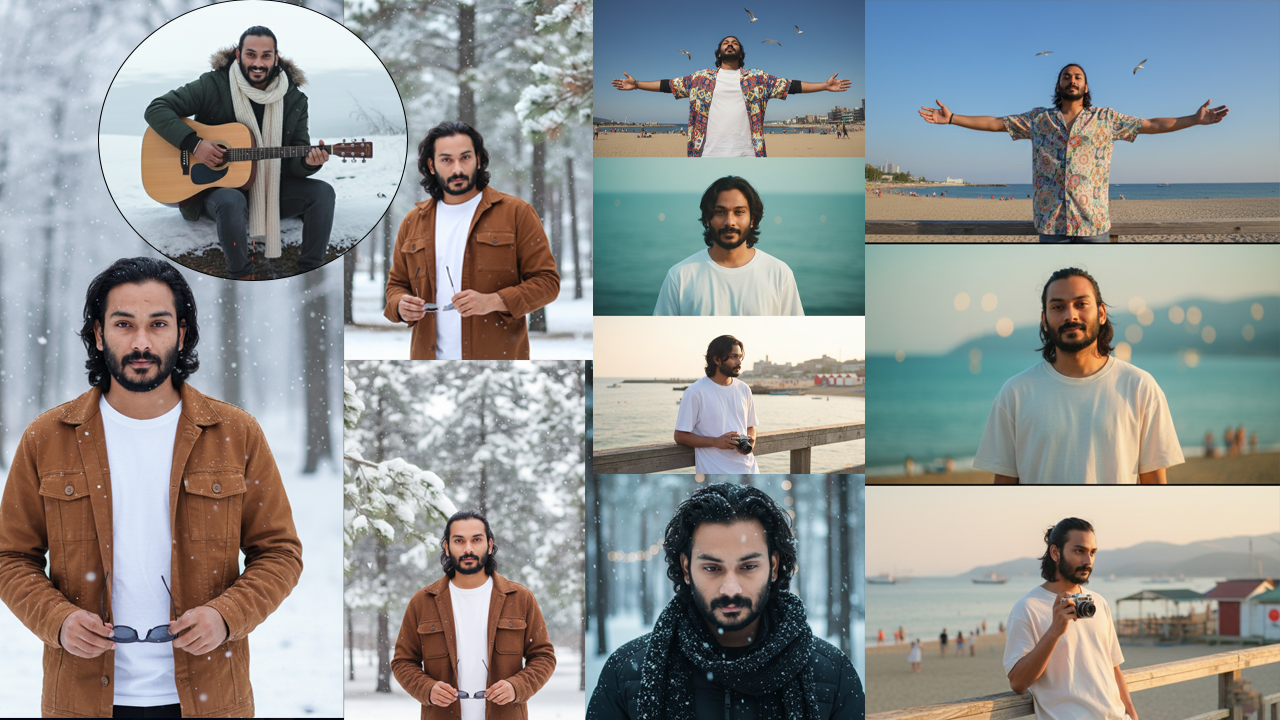
A Young man Best Photo editing Prompts for 2026
(Note: You can ask Gemini to Change Pose Everytime when you create)->
(Also with same prompts you create photo for single Girls & Boys)
Keep entering same prompt for different results.-> Upload Clear Photo of the couple with white background for more accurate results
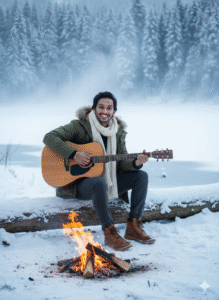
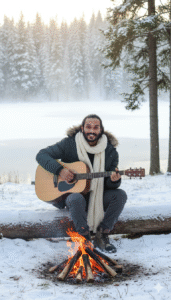
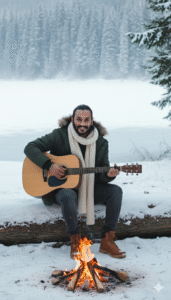
(Note: You can ask Gemini to Change Pose Everytime when you create)
Prompt:-
A beautiful young man sitting on a wooden log in a snowy forest beside a calm frozen lake and tall pine trees. he is wearing a stylish winter jacket, woolen scarf, cozy pants, and warm boots. A small campfire is glowing in front of his with bright orange flames. he is happily playing an acoustic guitar while smiling at the camera. The atmosphere is dreamy, cozy, and cinematic with soft winter lighting and light mist rising from the lake in the background.
(Note: You can ask Gemini to Change Pose Everytime when you create)
Prompt:-
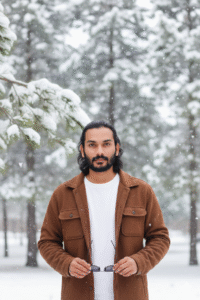
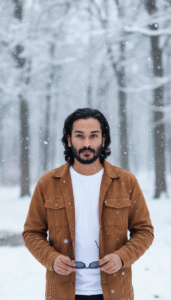
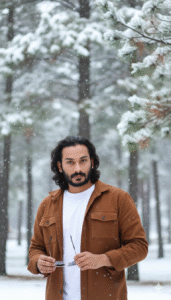
Create a hyper-realistic DSLR portrai of a young man, with sharp voluminous hair, (using 100% of my face reference image) wearing brown button-down full sleeve jacket over white t-shirt, holding sunglasses, blurred Snow Background There’s tree and snow falling at leaves, realistic textures, And polished editorial aesthetic vibe.
(Note: You can ask Gemini to Change Pose Everytime when you create)
Prompt:-
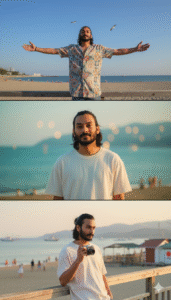
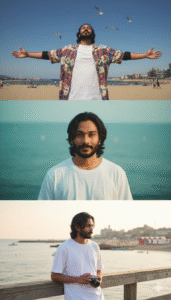
Multi-panel photorealistic storyboard, 3 panels (Top / Middle / Bottom stacked vertically). Retro Japanese summer seaside editorial, nostalgic aesthetic. Unisex subject, keep the original face. Top: extreme low-angle wide shot, arms stretched, patterned shirt, indigo sky with seagulls, freedom. Middle: close-up eye-level, facing camera, oversized summer T-shirt, nostalgic gaze or faint smile, blurred teal sea, dreamy haze. 20 years boy Face reference 100%
(Note: You can ask Gemini to Change Pose Everytime when you create)
Prompt:-
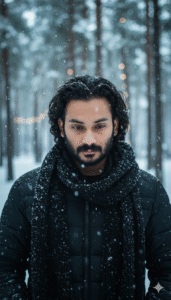
A three-part vertical photo strip (triptych) featuring the young man from the first uploaded image with dark, curly hair and striking features, wearing a black puffer jacket and a thick black knitted scarf. The setting is a snowy, moody winter landscape. The overall aesthetic should be cinematic, moody, and hyper-realistic. The three parts should show: 1) a close-up profile/side view with snow in his hair, 2) a full-body shot from behind him standing in the snow holding a clear umbrella, and 3) a close-up looking down or with a solemn expression, with snow in his hair and on his scarf. 100% face match. Don’t change face
How To Edit Drawing Photo Editing Gemini Prompt
Many people think photo modifying is hard. but now on this AI time it is not tough anymore. Google Gemini AI spark off is made in a very smooth way so that anybody can use it. you simply want to write what you need, and the AI will make the image in that method in a few seconds. The procedure is so easy that even if you use it for the primary time you will be surprised to look how exceptional the picture looks. these days we will learn how to use Gemini AI set off to edit your very own image in some simple steps.
- First you need to open the Google app in your cellular, laptop, or computer.
- After commencing the app you’ll see a search button. You need to kind Gemini inside the search. you may see many websites. click on the one you want.
- Whilst you click on, you’ll need to register with your Gmail. In a few seconds the procedure will be whole.
- Then you’ll see a textual content box. There you want to stick the line that we requested you to copy. on the proper facet you will see a plus icon. when you click on on it you may be requested to add the photo which you want to edit.
- After the 2 steps are whole you may see a send button on the proper facet. click on that button. In some seconds your new picture will come at the screen.
- To keep the photo for your mobile click at the photo. on the top you’ll see a button that seems like a shop button. click on that button and in a few seconds, you’ll see your image on your gallery.
This is the entire enhancing method. when you have any hassle, you may tell us.
How To Get Drawing Photo Editing Gemini Prompt
- If you need to get the Drawing picture editing Gemini prompt, it’s far a very simple system. you can get this prompt from our reliable website. we have written the entire process below in an smooth method. you simply need to observe the steps as we are saying. Then you may get the spark off very without problems.
- After you open our website, you’ll see a search button at the top. You want to kind Drawing picture editing Gemini set off in that field.
- You may see many posts. click at the post which you like and await some seconds.
- After ready you will see every other new page open in front of you.
- While the brand new page comes scroll down a little. you may see your favored image and underneath that you will see the textual content we gave you. reproduction that textual content. Then observe the following process as we stated.
(Also with same prompts you create photo for Girls & Boys just remove type boy or girl instead of couple and add yours)