When creators talk about “PS Stuff,” they are talking about the holy grail of graphic design, digital art, and photo manipulation: Adobe Photoshop.
Over the years, Photoshop has evolved from a basic pixel-pushing software into a futuristic, AI-driven sandbox. In 2026, the absolute “best stuff” in Photoshop revolves around tools that seamlessly blend manual precision with jaw-dropping neural networks.
Here is an article breaking down the absolute best features, tools, and workflows inside Photoshop right now.
The Ultimate “PS Stuff”: The Best Features in Photoshop (2026 Edition)
Whether you are a seasoned digital artist, a branding designer, or a content creator designing viral posters, Adobe Photoshop remains the king of the creative world. But what exactly is the best stuff inside Photoshop right now? It isn’t just layers and brush tools anymore.
Here is a curated guide to the absolute best features changing how we create.
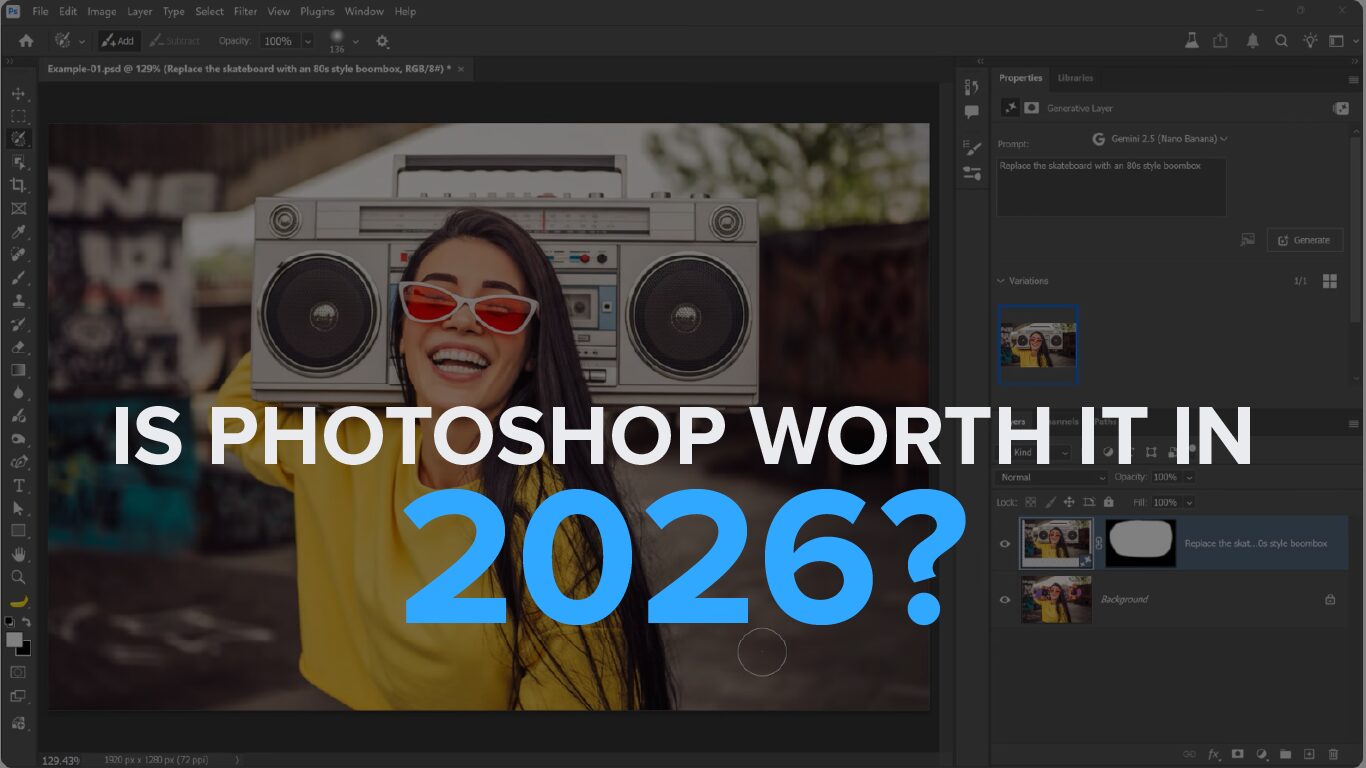
1. Generative Fill with Multi-Model Support
Generative Fill completely changed the design landscape, but its latest iteration is a masterpiece. You are no longer restricted to just the Adobe Firefly engine.
-
The Magic: You can make a selection on your canvas and use a dropdown menu to choose between different premier AI models like Flux or Google’s Nano Banana to generate content.
-
Reference Image Guidance: You can now upload a literal reference image directly into your selection marquee to tell Photoshop exactly what style, texture, or object to pull visual cues from. It eliminates guesswork and brings an incredible level of predictability to complex compositing.
2. The “Harmonize” Tool (One-Click Match)
Compositing—cutting an object out of one photo and placing it into another—used to take hours of manual color-matching, dodging, and burning.
-
The Magic: Now officially out of beta, the Harmonize tool uses neural networks to analyze your background layer and instantly adapt the lighting, color temperature, and ambient shadows of your new subject layer so it perfectly blends into the environment. It gives you three immediate variations to choose from, making seamless composites a one-click reality.
3. Integrated Topaz Generative Upscaling
Photoshop has combined forces with the gold standards of image clarity. Under the Image > Generative Upscale menu, you can now tap directly into Topaz Gigapixel AI and Topaz Bloom engines natively inside the app.
-
The Magic: If an AI-generated element or a heavily cropped photo looks slightly soft or pixelated, you can upscale it up to 4x while aggressively reconstructing sharp, photorealistic details without leaving your canvas.
4. The Smart Remove Tool
Retouching out unwanted tourists, power lines, or blemishes has never been smoother.
-
The Magic: The AI-powered Remove Tool features an automatic “Find people in the background” toggle. It scans your image, highlights distractions natively, and fills in the empty pixels non-destructively on a new layer—maintaining natural textures like concrete, grass, or water flawlessly.
5. Color & Vibrance Adjustment Layer
For years, users begged for basic Lightroom/Camera RAW sliders to live directly on the standard layer stack.
-
The Magic: Photoshop finally introduced a dedicated Color and Vibrance adjustment layer. You can now adjust Temperature and Tint alongside Saturation and Vibrance natively. This allows you to execute precise white balance fixes and cinematic color-grading over your entire layer stack completely non-destructively.
💡 Pro Tip: Why “PS Stuff” is Unbeatable
While pure AI generators are fun, the reason Photoshop is the undisputed industry standard is control. Pure AI gives you a random final image; Photoshop gives you the AI tools as layers. You can mask them, adjust their opacities, paint over them, and tweak individual pixels. It’s the perfect harmony of machine intelligence and human artistry.